Skip to content

Managed Services

Request a Quote
Request a Quote

Back up your Documents, Pictures, and Desktop folders with OneDrive

  1.   »  
  2. Back up your Documents, Pictures, and Desktop folders with OneDrive

Back up your Documents, Pictures, and Desktop folders with OneDrive

July 27, 2022 [email protected]tech stuff

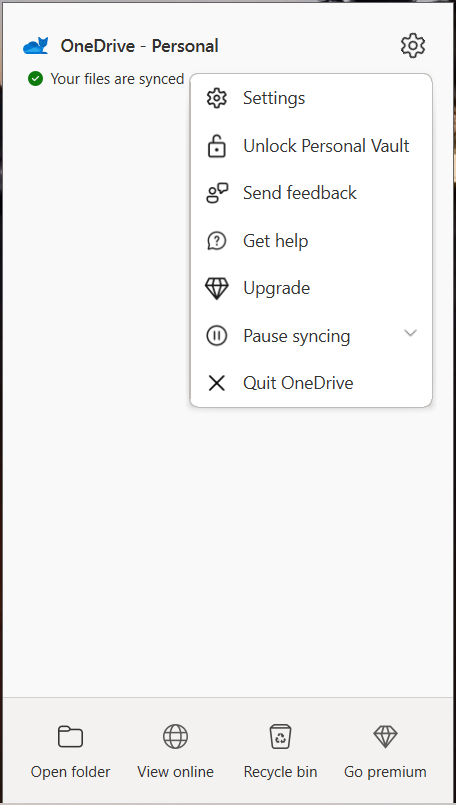
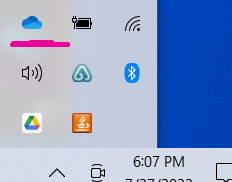
Open OneDrive settings (select the white or blue cloud icon in your notification area, and then select Help & Settings > Settings.)
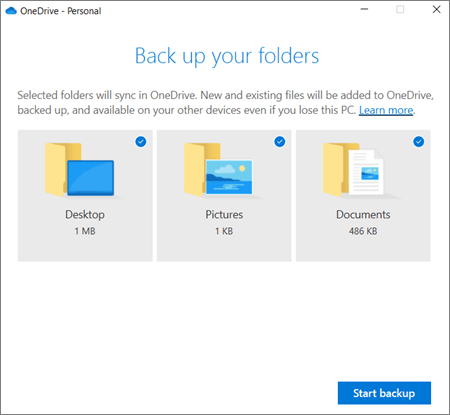
  1. In Settings, select Backup > Manage backup.
  2. To start backing up a folder, select any folder that doesn’t say Files backed up, and then select Start backup.
Post navigation

Previous: Disable Hello
Next: Making 365 user a local admin on a computer

[stm-calc id="412"]

Proudly powered by WordPress | Theme: microt-ecommerce by reviewexchanger.